Ad Creative Templates and Testing: The Complete Guide
Turn copy frameworks such as PAS, BAB and FAB into reusable ad templates, fit them to current platform text limits, test one variable at a time, and keep every claim provable under EU rules.
Team Adverizeo17 min read
On this page
- 1. What a template is, and what it is not
- 2. The copy frameworks worth turning into templates
- Problem, Agitate, Solve (PAS)
- Before, After, Bridge (BAB)
- Features, Advantages, Benefits (FAB)
- Attention, Interest, Desire, Action (AIDA)
- Offer first
- Objection handling
- Proof led
- 3. Fitting templates to platform text limits
- Google responsive search ads
- Meta
- TikTok
- Translated templates
- 4. Which template for which job
- 5. How to test templates properly
- Start with a hypothesis and one variable
- Use the platform's experiment tools, not on-and-off switching
- Get enough data before you decide
- 6. Reading results without fooling yourself
- Know what the platform's "confidence" means
- The traps that create false winners
- 7. Claims you must be able to prove in the EU
- 8. Common mistakes
- 9. What to do this week
- How Adverizeo fits in
Ad creative templates are reusable structures for ad copy: a proven order of arguments, a set of slots to fill, and rules about what each slot may say. Used well, they let a small team write many genuinely different ads fast, fit each platform's text limits, and test one idea at a time. Used badly, they produce near-identical ads, invented proof and test results you cannot trust. This guide covers the copy frameworks worth turning into templates, how to adapt them to Google, Meta, LinkedIn and TikTok limits as of October 2026, how to run fair tests, and which claims you must be able to prove in the EU.
1. What a template is, and what it is not
A good template is not a finished ad with a few words swapped. It is closer to a brief with a skeleton. It fixes three things and leaves the rest open:
- The argument order. For example: name the problem, show what it costs, present the fix, back it with proof, ask for one action.
- The slots. Each slot has a job (problem, outcome, proof, offer, call to action) and a length budget per platform.
- The rules. What a slot may contain and where its content must come from. A proof slot, for example, may only hold a fact you can document.
What stays open is the actual message: which problem, which outcome, which proof, for which audience. That split matters for testing: two ads that differ only in a synonym are noise, while two ads that lead with different problems test a real hypothesis.
Brand rules stay constant across every variant: tone, banned words, product name spelling and formality per language. Keep them in one place, such as a brand voice setting, so every template inherits them.
2. The copy frameworks worth turning into templates
Most proven ad structures are variations of a few classic copywriting frameworks. Each is shown below as a slot skeleton, not finished copy, so you fill it with your own facts.
Problem, Agitate, Solve (PAS)
Skeleton: [a problem the buyer would describe in their own words] + [the cost or friction of leaving it unsolved] + [what your product changes] + [one action].
Fits: products that remove a clear, felt pain, such as admin work, slow processes or recurring errors. Adapting it: in short formats, the problem often becomes the headline and the agitation is cut to a few words or dropped. The risk is overdoing the agitation. Overstated consequences can become misleading claims.
Illustration for a fictional product (Ledgerling, an invented invoicing app, not a real business): Problem slot: "Chasing unpaid invoices by hand." Agitate slot: "Hours every month you never bill." Solve slot: "Automatic reminders on the due date." The point is the structure, not the words. Write your own slots from your own customer research.
Before, After, Bridge (BAB)
Skeleton: [the situation today] + [the situation after] + [how your product gets them there].
Fits: changes the buyer can picture, such as a tidier workflow, a finished project or a skill learned. Adapting it: on image and video platforms the before and after can sit in the visual while the text carries only the bridge. Be careful with "after" states that imply a guaranteed result. If outcomes vary, say so, or describe the capability rather than promising a result.
Features, Advantages, Benefits (FAB)
Skeleton: [a concrete feature] + [what it does better than the usual way] + [what the buyer gets from that].
Fits: considered purchases and B2B, where buyers compare specifications. Adapting it: FAB maps neatly onto Google responsive search ads, where you can write some headlines as features and others as benefits and let the system combine them. Be careful with the "advantage" step: once you compare yourself with others, even implicitly, you need evidence for the comparison (see section 7).
Attention, Interest, Desire, Action (AIDA)
Skeleton: [a hook] + [a relevant detail] + [a reason to want it now] + [the call to action].
Fits: longer formats such as Meta primary text or LinkedIn introductory text, where you have room for four beats. Adapting it: in short formats, merge Interest and Desire into one line. Keep the hook honest. A hook that the rest of the ad does not deliver on raises clicks and lowers conversion.
Offer first
Skeleton: [the offer, stated plainly] + [the condition or deadline] + [the action].
Fits: promotions, trials and seasonal sales aimed at warm audiences who already know you. Adapting it: works in every format because it is short. It is also the framework with the most legal exposure in the EU, because price reductions have specific rules (section 7).
Objection handling
Skeleton: [the main reason people hesitate] + [the fact that answers it] + [the action].
Fits: retargeting and late-stage audiences. Adapting it: collect real objections from sales calls, support tickets and reviews. Each objection becomes a separate variant, which gives you naturally distinct tests.
Proof led
Skeleton: [a verifiable fact, such as a rating with its source, a certification, or a customer count you can document] + [what it means for the buyer] + [the action].
Fits: categories where trust decides the purchase. The rule: this template must never be filled with an invented figure, award or testimonial. If you do not have proof yet, use a different framework.
3. Fitting templates to platform text limits
A template should carry a length budget per platform, not one master text cut down at the last minute. The figures below come from each platform's help pages as of October 2026; check them again before a large production run.
| Platform and format | Field | Limit or recommendation | What it means for templates |
|---|---|---|---|
| Google Ads responsive search ad | Headlines | 3 to 15 headlines, up to 30 characters each | Write each headline as a standalone unit that makes sense next to any other. |
| Google Ads responsive search ad | Descriptions | 2 to 4 descriptions, up to 90 characters each | Carry the bridge, proof and call to action here. |
| Google Ads responsive search ad | Display path | 2 path fields, up to 15 characters each | Use for the category or offer, not for filler. |
| Meta (Facebook Feed image ad) | Primary text | 50 to 150 characters recommended | Put the hook in the first line. |
| Meta (Facebook Feed image ad) | Headline | 27 characters recommended | One short benefit or offer. |
| LinkedIn single image ad | Introductory text | Up to 150 characters to avoid truncation; 3,000 maximum | Front-load the point; legally required wording goes here. |
| LinkedIn single image ad | Headline | Up to 70 characters to avoid truncation; 200 maximum | Room for a full benefit sentence. |
| LinkedIn single image ad | Description | 100 characters to avoid truncation; 300 maximum | Optional supporting line. |
| TikTok in-feed ad | Ad text | Up to 100 characters | The video carries the message; the text is a short caption. |
Google responsive search ads
Google assembles responsive search ads from your headlines and descriptions, so a template here is a set of building blocks rather than one sequence. Plan the 15 headlines by role: a few with the keyword theme, a few with features, a few with benefits, one or two with the offer, one with a call to action, and one with your brand. Google's responsive search ad help page also notes that in double-width languages such as Japanese, Chinese and Korean each character counts as two.
Pinning a headline to position 1 or 2, or a description to position 1, guarantees it shows there, but it also reduces the combinations the system can try. Pin only what must appear, such as legally required wording. Google's editorial policy also rejects gimmicky capitalisation, unnecessary repetition, incorrect punctuation and odd spacing, so keep those out of the template itself. For the wider campaign setup, see the Google Ads automation guide.
Meta
Meta's ads guide lists these figures as text recommendations rather than hard limits. What stays visible depends on the placement, so preview every placement you run, and mark the first 50 or so characters of a template as the part that must work alone. The social media advertising guide covers placements and formats in more depth.
LinkedIn allows long introductory text but recommends 150 characters to avoid truncation, and its help page says legally required language belongs in the introductory text. See the LinkedIn advertising guide for B2B for targeting and formats.
TikTok
On TikTok the text sits over the video, so templates should treat the caption as a support line and put the framework into the script: the first seconds carry the problem or hook, the middle carries the bridge, and the end carries the action. For data and consent topics on this platform, see the TikTok ads GDPR guide.
Translated templates
A template written in English often runs longer in other languages, and formality changes by market (for example, choosing between the informal and formal "you" in German or French). Give each language its own length check against the platform limits rather than translating the final ad and hoping it fits. The multilingual marketing guide covers localisation in detail.
4. Which template for which job
The right framework depends more on how warm the audience is than on the platform.
| Use case | Audience | Framework to start with | Slot that needs evidence |
|---|---|---|---|
| New product launch | Cold | PAS or BAB | Any "first", "only" or "new" statement |
| Search ads for a known need | Searching now | FAB as headline building blocks | Feature claims, prices, delivery times |
| Lead generation (B2B) | Cold or warm | AIDA or FAB | Outcome statements and any figures |
| Seasonal sale or discount | Warm | Offer first | The reduction and the prior price |
| Retargeting | Visited, did not buy | Objection handling | The fact that answers the objection |
| Trust-sensitive category | Cold or warm | Proof led | Every rating, certification and customer count |
| Recruitment or employer brand | Cold | BAB | Statements about pay, benefits or conditions |
| Product with an environmental angle | Any | FAB with specific facts | Every environmental statement (see section 7) |
You can browse ready-made structures by use case on the templates page. For ecommerce campaign types, see the ecommerce advertising guide.
5. How to test templates properly
Start with a hypothesis and one variable
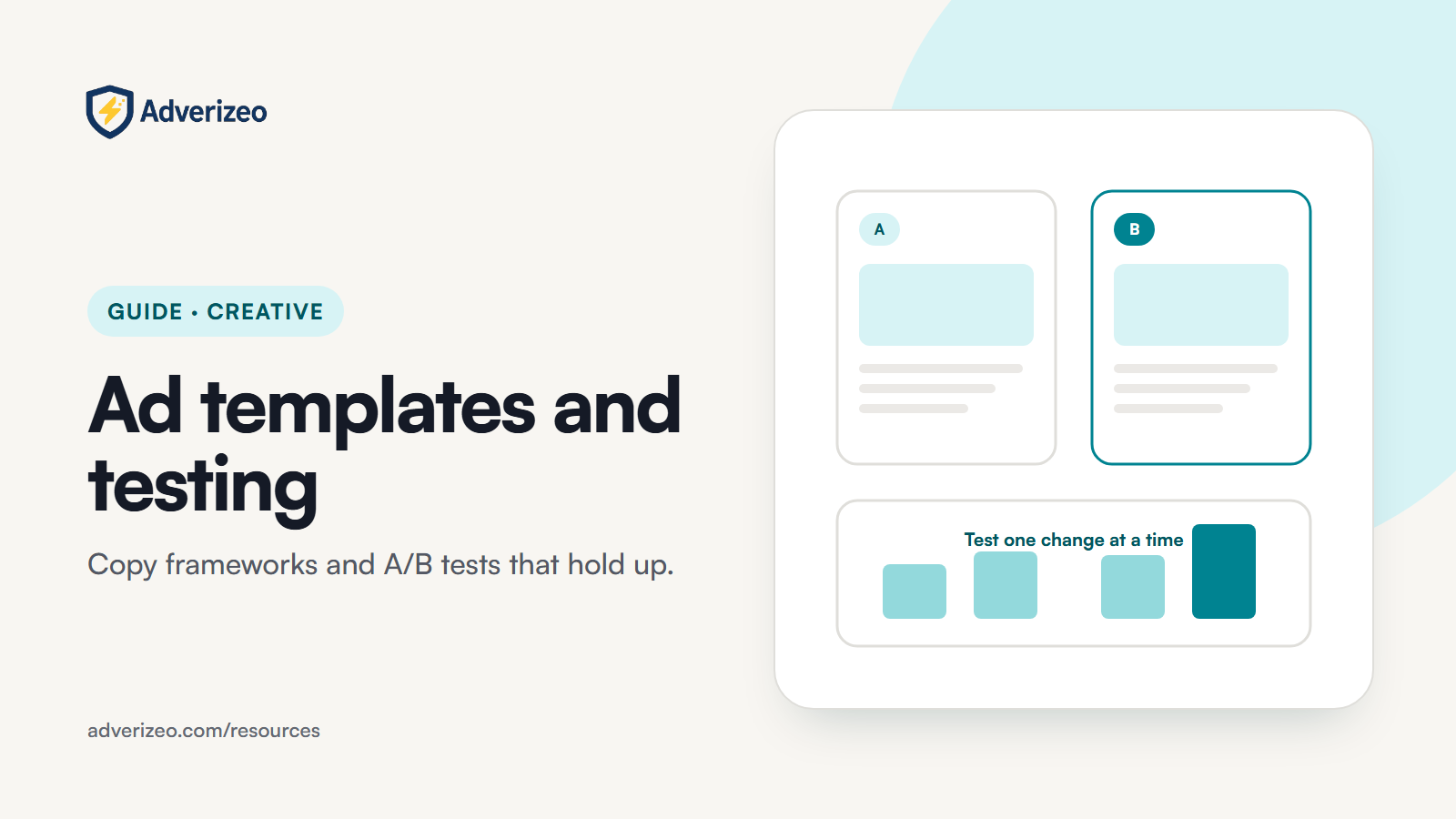
Write the hypothesis before you write the variants, for example: "Leading with the time saved will get a lower cost per lead than leading with the price." Then change only that one thing. Meta's own best-practice page says you get more conclusive results when everything is identical except the variable you are testing. In template terms, that usually means testing one slot at a time: the problem you lead with, the offer, the proof, or the call to action. Testing one framework against another is also fine, as long as the framework is the single variable and the offer, audience and visual stay the same.
Use the platform's experiment tools, not on-and-off switching
- Google Ads: Experiments. Found under Campaigns, then Experiments. Ad variations let you change text in responsive search ads (for example with a find-and-replace rule) across one or many campaigns, and show the modified ads to a share of traffic. Custom experiments copy a campaign and split traffic and budget between the original and the trial. Google recommends a cookie-based split, which keeps each user on one version. Only one experiment can run on a campaign at a time.
- Meta: A/B test. Created in Ads Manager or in the Experiments tool. You either duplicate a campaign, ad set or ad and change one variable, or compare existing campaigns or ad sets. Meta splits the audience so nobody sees both versions. Its best-practice page recommends at least 7 days and allows a maximum of 30.
Meta also warns against testing informally by turning ad sets or campaigns on and off, because it leads to overlapping audiences and unreliable results. Several ads in one ad set are not a controlled test either, because delivery shifts towards an early leader.
Get enough data before you decide
Decide in advance how long the test runs and which metric decides it. Run whole weeks so weekdays and weekends are both covered. If your buyers take longer than a week to convert, run longer: Meta's own example is extending a test to 10 days when typical customers convert after more than 7. Google suggests letting an experiment run for 2 to 3 weeks and adding budget or time if the result is still undecided. Choose a metric close to revenue, such as cost per lead or per purchase, rather than click-through rate alone, because a hook that wins clicks can lose sales.
6. Reading results without fooling yourself
Know what the platform's "confidence" means
Google Ads reports experiment results as a performance difference with a confidence interval. The default confidence level is 80%, and you can switch to 85% or 95%. A blue asterisk marks results that Google calls statistically significant. Read the interval, not just the headline number: an interval that runs from slightly negative to strongly positive means you do not yet know the direction.
Meta picks an A/B test winner by comparing cost per result. It simulates possible outcomes many times and reports a confidence percentage, meaning the chance of similar results if the test were repeated. Meta itself notes that a short test, too few results or ignored best practices can produce a "winner" that turns out to cost more. A low confidence percentage is a signal to keep testing, not to roll out.
The traps that create false winners
- Peeking. Checking every day and stopping the moment one variant looks ahead raises the chance of a false winner. Set the end date and stick to it.
- Too many variants at once. The more variants you compare, the more likely one looks better by chance. Fewer, clearly different variants beat many small tweaks.
- Novelty effect. A new ad can do well simply because it is new to people who have seen your old ad many times. The lift fades as the novelty wears off. Re-check a winner a few weeks after rollout before you rebuild everything around it.
- Season and events. A test spanning a holiday or price change measures those too.
- Uneven budgets. Meta recommends the same budget for both versions. Different budgets mean different delivery, which skews cost per result.
- Wrong metric. Declaring a winner on click-through rate when the goal is sales can reward curiosity hooks that do not convert.
Log every result, including losers and inconclusive tests. Over time the log shows which template slots matter most for your audience.
7. Claims you must be able to prove in the EU
Templates spread a claim across dozens of ads at once, so a weak claim in a template multiplies your risk. In the EU, the Unfair Commercial Practices Directive (2005/29/EC) lets courts and authorities require a trader to provide evidence that factual claims are accurate. The Misleading and Comparative Advertising Directive (2006/114/EC) gives the same power for advertising aimed at businesses, lets them treat a claim as inaccurate if the evidence is missing or insufficient, and allows comparative advertising only when it objectively compares material, relevant, verifiable and representative features.
Specific rules that affect common template slots:
- Environmental claims. The Empowering Consumers for the Green Transition Directive (EU) 2024/825 applies from 27 September 2026. It prohibits generic environmental claims such as "eco-friendly", "green", "climate friendly" or "biodegradable" unless recognised excellent environmental performance can be demonstrated. It also prohibits claims that a product has a neutral, reduced or positive greenhouse-gas impact based on offsetting, and requires claims about future environmental performance to rest on a detailed, realistic plan verified by an independent third-party expert. According to the European Commission's questions and answers on the directive, the rules also cover products already on the market. A claim is not generic if its specific meaning is given clearly and prominently in the same ad.
- Irrelevant benefits. The same directive treats advertising a benefit that is irrelevant and does not result from any feature of the product as potentially misleading. The Commission's example is bottled water advertised as gluten-free. A "free from" slot should only hold something that actually sets your product apart.
- Price reductions. Under Article 6a of the Price Indication Directive (98/6/EC), a price reduction must refer to the prior price, which is the lowest price you charged in a period of at least 30 days before the reduction. The Court of Justice confirmed in case C-330/23 that a percentage discount in an ad must be calculated from that lowest price. Offer-first templates need a field for the prior price and its date range.
- Health claims on food. Under Regulation (EC) No 1924/2006, only health claims authorised and listed in the EU Register of Nutrition and Health Claims may be used. Templates for food and supplements should take claim wording from the register, not from a writer's paraphrase.
- Comparisons. "Faster than", "cheaper than" and "the best" style slots need evidence that compares like with like. If you cannot show how the comparison was made, cut the comparison.
The practical fix is structural: give every claim slot in a template an evidence field (a link to the test report, the price history, the certificate or the register entry) and do not publish a variant whose evidence field is empty. The free GDPR ad checker can flag risky wording in a draft, but it is a risk check, not a legal sign-off. For the data protection side of advertising, see the GDPR-compliant marketing guide.
8. Common mistakes
- Treating synonyms as variants. Ten ads that say the same thing in slightly different words test nothing. Vary the idea, not the wording.
- Filling proof slots with invented figures. A made-up percentage, rating or "thousands of customers" is a misleading claim, however good it reads.
- Writing one master ad and cutting it down. The truncated version is usually the one most people see. Write to each platform's length budget from the start.
- Pinning everything in responsive search ads. It turns a flexible ad into a fixed one and limits what the system can learn.
- Translating instead of adapting. A translated template can break length limits, use the wrong level of formality, or keep a claim that is not allowed in the target market.
- Using generic green words after 27 September 2026. "Eco-friendly" without recognised excellent performance, or without a clear and prominent specification, is now a blacklisted practice in the EU.
- No test log. Without a record of what was tested and why, teams re-run the same tests and lose what they learned.
9. What to do this week
- List your four or five most common campaign types and pick one framework for each from the table in section 4.
- Turn each framework into a slot skeleton with a length budget for every platform you use.
- Add an evidence field to every slot that can hold a factual claim, and fill it before any variant goes live.
- Remove generic environmental wording from active templates, or add the specific, prominent explanation the rules require.
- Check that every discount template records the lowest price of the prior 30 days.
- Write one hypothesis per channel and set up a proper test, either Google Ads Experiments or a Meta A/B test, with the end date and deciding metric fixed in advance.
- Start a test log with hypothesis, variable, dates, spend, metric, result and confidence.
- Book a re-check of each winner a few weeks after rollout to catch novelty effects.
How Adverizeo fits in
Adverizeo writes ad copy for 24 channels, each within that channel's format limits, including Google Ads Pro, which produces one complete responsive search ad with 15 headlines and 4 descriptions. Every text ad gets a compliance score from 0 to 100 with suggestions, which is a risk check and guidance rather than a legal guarantee, and copy can be exported as CSV, Excel, JSON or text files for your own testing setup. You can try it on the Free plan, with 10 credits a month and no card, by creating an account. For a vendor-neutral way to judge any tool in this category, read how to compare AI advertising platforms and the guide to AI-powered advertising.
This guide is general information, not legal advice.