Complete Guide to Google Ads Automation for Growing Businesses
How Smart Bidding, Performance Max, AI Max for Search and responsive search ads work as of October 2026, what Consent Mode v2 does to EEA bidding, and a setup plan for each business stage.
Team Adverizeo15 min read
On this page
- 1. What is automated in Google Ads today
- 2. Conversion tracking quality comes first
- Primary and secondary conversion actions
- Enhanced conversions
- Tracking checklist
- 3. Consent Mode v2 and what it does to bidding in the EEA
- Basic versus advanced implementation
- Why this matters for Smart Bidding
- 4. Smart Bidding strategies and how to choose
- Learning periods
- Smart Bidding Exploration
- 5. Responsive search ads: limits, pinning and writing
- Pinning
- Writing 15 headlines that are actually different
- 6. Broad match and negative keywords
- 7. Performance Max
- 8. AI Max for Search campaigns
- 9. Setup by business stage
- Common mistakes
- What to do this week
- Related guides and posts
- Where Adverizeo fits
Google Ads automation now runs most of the daily work in an account: Smart Bidding sets a bid for every auction, Performance Max and AI Max decide where ads appear and which text shows, and responsive search ads assemble themselves from your assets. For a growing business, the job has shifted from pulling levers to feeding the system the right goal, clean conversion data and good creative, then checking where it goes wrong. This guide covers how each piece works as of October 2026 and how to set it up for your stage.
1. What is automated in Google Ads today
Each automated feature takes over one decision. Knowing which decision you handed over tells you what you still need to control.
| Feature | What Google automates | What you still control |
|---|---|---|
| Smart Bidding | The bid in each auction, using signals such as device, location, time of day, remarketing lists and the search query | The goal, the target (CPA or ROAS), which conversions count, budget |
| Responsive search ads | Which headlines and descriptions combine for each search | The 15 headlines and 4 descriptions you supply, pinning |
| Broad match | Which searches your keywords match | Keywords, negative keywords, landing page content |
| Performance Max | Channel, placement, audience and asset combination across Google's inventory | Assets, audience signals, search themes, negatives, brand exclusions |
| AI Max for Search | Extra query matching, customised text and landing page choice inside Search campaigns | Which features are on, brand controls, URL inclusions and exclusions |
The common thread: every one of these systems optimises toward the conversions you report. If tracking is wrong, automation becomes very efficient at the wrong thing. That is why tracking comes before anything else in this guide.
2. Conversion tracking quality comes first
Before you switch on any Smart Bidding strategy, audit what Google is told counts as success.
Primary and secondary conversion actions
Google Ads splits conversion actions into primary and secondary. Primary actions are reported in the Conversions column and used for bidding. Secondary actions are for observation only; they appear in "All conversions" but do not drive bids, unless they are part of a custom goal. A common problem in growing accounts is a page view, a newsletter signup and a purchase all set as primary, so the bidder treats a cheap micro-action as equal to a sale.
Enhanced conversions
Enhanced conversions supplement your tags by sending first-party data such as email addresses, hashed with SHA256 before they leave the page, so Google can match more conversions to ad clicks. There are two types: enhanced conversions for web, for online conversions, and enhanced conversions for leads, for sales that happen offline after a website lead. For lead-generation businesses the second one is often the bigger win, because it lets you bid on qualified leads or closed deals rather than form fills.
Tracking checklist
- One primary conversion action per real business outcome; everything else secondary.
- No duplicate tags firing for the same purchase or lead.
- Real conversion values on purchases if you plan to bid on value.
- Offline outcomes (qualified lead, closed deal) imported where your sales happen off the website.
- Enhanced conversions set up and covered in your privacy notice.
- Consent signals passed correctly for EEA traffic (next section).
3. Consent Mode v2 and what it does to bidding in the EEA
For traffic from the European Economic Area, Google's EU user consent policy requires you to collect consent for the use of personal data and share consent signals with Google if you want to keep using measurement, ad personalisation and remarketing. Consent Mode is how those signals reach Google tags.
ad_storageandanalytics_storagecontrol cookies for ads and analytics.ad_user_datasets consent for sending user data to Google for advertising. It is needed for measurement uses such as tag-based conversion tracking and enhanced conversions.ad_personalizationsets consent for personalised advertising, including remarketing.
Basic versus advanced implementation
In a basic setup, Google tags do not load until the visitor interacts with the banner, and no data is sent before consent. In an advanced setup, tags load with default consent states and send cookieless pings when consent is denied. Google says basic mode feeds a general conversion model, while advanced mode allows an advertiser-specific model. Which setup your legal basis allows is a question for your privacy team; the choice has consequences for measurement either way.
Why this matters for Smart Bidding
When visitors decline, Google cannot observe some conversions directly. Consent mode conversion modeling fills part of that gap, but only once you pass a threshold: Google states 700 ad clicks over 7 days, per country and domain grouping. Modeled conversions then appear in the Conversions column and flow into bidding. Small accounts in a single EU country may never reach that threshold, which means Smart Bidding works from a thinner signal. Practical consequences:
- Expect fewer reported conversions from EEA traffic than from equivalent US traffic, and set CPA or ROAS targets from your EEA history, not from a blended number.
- Do not "fix" low consent rates with a banner design that pushes people into accepting. Consent obtained that way is not valid, and the data is not something you can rely on.
- Strengthen first-party signals you are allowed to use, such as imported offline conversions from consented leads.
For the exact settings, see our Google Ads GDPR settings configuration guide for 2026 and the cookie consent implementation guide.
4. Smart Bidding strategies and how to choose
Google lists four Smart Bidding strategies. The difference between them is what they optimise and what data they need, so choose by what you can actually measure.
| Strategy | What it optimises | What it needs to work well | Typical fit |
|---|---|---|---|
| Maximize conversions | Most conversions for the budget | Reliable primary conversions | New or small campaigns building data |
| Target CPA | Most conversions at an average cost per conversion | Steady conversion volume and a realistic target based on history | Lead generation with similar-value leads |
| Maximize conversion value | Most total value for the budget | Accurate conversion values | Ecommerce or leads with different values |
| Target ROAS | Most value at an average return on ad spend | Accurate values and enough volume to predict them | Established ecommerce with margin targets |
Enhanced CPC is no longer an option: Google removed it for Search and Display campaigns effective the week of 31 March 2025, and campaigns that were not moved to another strategy now run on Manual CPC. If you find old campaigns on Manual CPC, check whether that was a decision or a leftover.
Learning periods
After you change the strategy, target or conversion goal, the bid strategy recalibrates. Google says it can take a few conversion cycles, typically one to two, depending on how much conversion data is available. A conversion cycle is the time from click to conversion. If your customers take three weeks to buy, judge a change over weeks, not days, and avoid stacking several changes at once.
Smart Bidding Exploration
Smart Bidding Exploration lets a ROAS-based strategy bid more freely on searches it has not proven yet, by accepting a lower effective target. Google's example: with a 200% target ROAS and a 10% tolerance, the effective average target becomes 180%. You enable it under Campaigns, then Settings, then Bidding exploration, by ticking "Allow Smart Bidding to explore new traffic", or at portfolio bid strategy level. Treat the tolerance as a budget you are willing to spend on discovery, and review the search terms it brings in.
5. Responsive search ads: limits, pinning and writing
Responsive search ads (RSAs) are the standard text ad in Search. The limits:
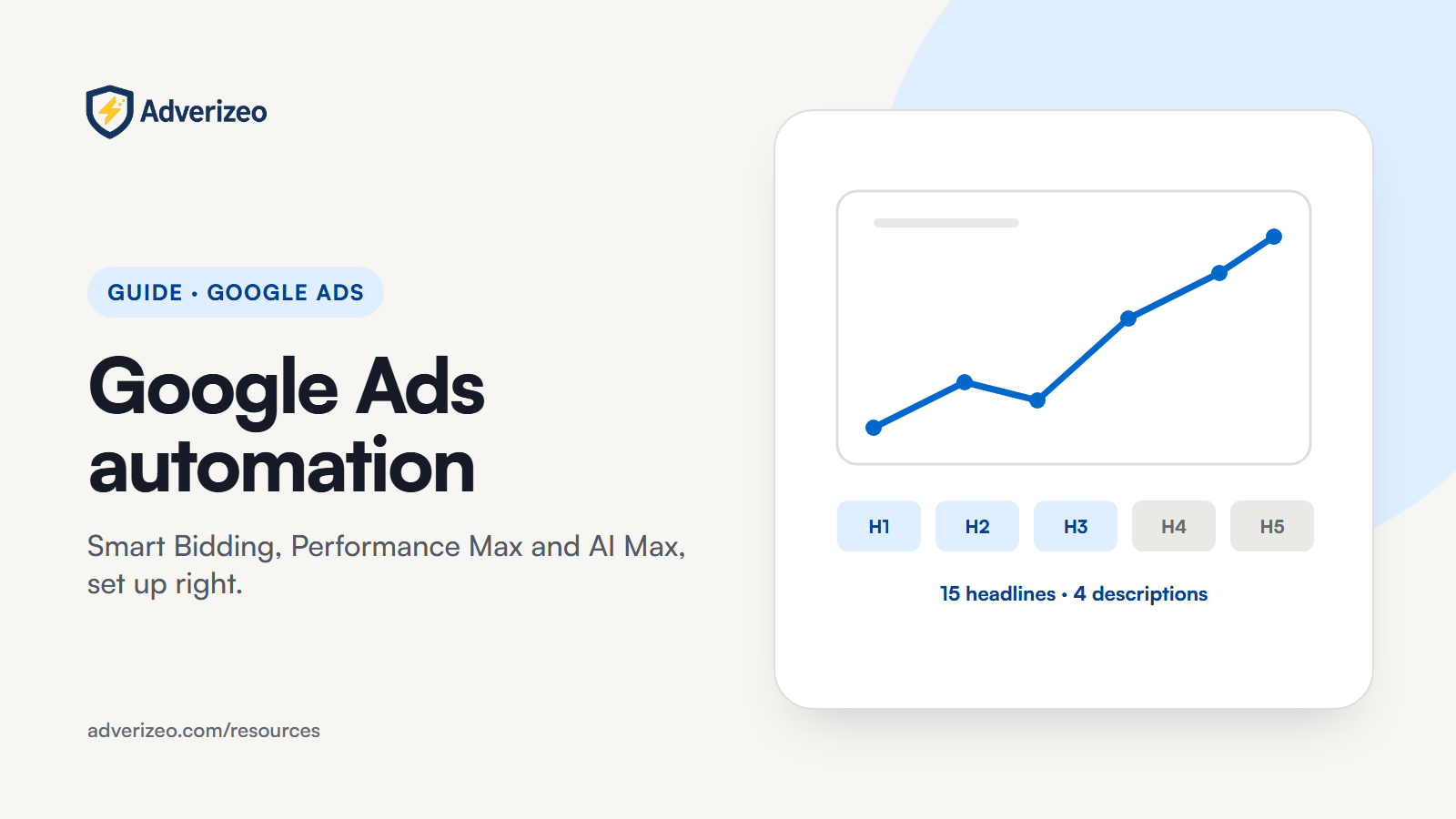
- Up to 15 headlines, minimum 3; each up to 30 characters.
- Up to 4 descriptions, minimum 2; each up to 90 characters.
- Two display path fields, up to 15 characters each.
- In double-width languages such as Japanese, Chinese and Korean, each character counts as two.
Pinning
Anything pinned to headline position 1, headline position 2 or description position 1 always shows. Text pinned to headline position 3 or description position 2 is not guaranteed to appear. Pinning reduces the combinations Google can test, so use it for what must appear (a legally required disclosure, a regulated product name, a brand name) rather than for preference. If you must pin, pin two or three alternative headlines to the same position instead of a single one, so the system still has a choice.
Writing 15 headlines that are actually different
Google recommends at least two RSAs per ad group with "Good" or "Excellent" Ad Strength. Ad Strength rewards variety, but variety only helps if every headline is true and relevant. Cover distinct angles:
- Keyword-led headlines that mirror the search.
- Core benefit, in two or three different framings.
- Specific features or service details.
- Proof you can back up (certification, years in business, review score with source).
- Offer, price or terms that are live and accurate.
- Audience or location fit ("for dental clinics", "Berlin and Brandenburg").
- Calls to action with different verbs.
- Objection handling (no setup fee, cancel anytime), only if true.
Descriptions should each stand alone, because any two may be combined in any order. Our guide to ad creative templates and testing covers how to compare variants fairly.
6. Broad match and negative keywords
Broad match can show your ads on searches related to your keyword, including searches that do not contain its words. It also uses signals such as the user's recent searches, your landing page and assets, and the other keywords in the ad group. Google's own guidance is that broad match should be used with Smart Bidding, because the bidder decides which of those wider auctions are worth entering and at what price.
That makes negative keywords more important, not less. Points that catch people out:
- Negative keywords do not match close variants. Add synonyms and singular and plural forms yourself.
- Negative keywords can be broad, phrase or exact match. Check which one you chose: a negative exact match only blocks that exact query.
- An account-level negative keyword list applies to all eligible Search and Shopping inventory in relevant campaign types. Use it for terms that are never right for you: "free", "jobs", "used", competitor support queries, or whatever fits your business.
- Review the search terms report on a fixed schedule. Add irrelevant queries as negatives, and add strong new queries as keywords with their own ad copy.
A simple rhythm: weekly search terms review while a campaign is new, then every two weeks once it is stable.
7. Performance Max
Performance Max runs one campaign across YouTube, Display, Search, Discover, Gmail and Maps. You supply asset groups (collections of text, images, logos and videos built around a theme or audience), audience signals that point the system toward likely customers, and search themes, which Google treats with the same priority as phrase and broad match keywords. Google recommends Performance Max when you have specific conversion goals such as online sales or leads.
Controls worth setting from day one:
- Campaign-level negative keywords to block unwanted queries on Search and Shopping inventory.
- Brand exclusions so Performance Max does not take credit for people already searching your brand name, if you run a separate brand campaign.
- Final URL expansion: when on, Google may send users to a different page on your site and generate a headline and description to match. Turn it off, or exclude URLs, if some pages should never be landing pages (careers, legal pages, out-of-stock categories).
- Channel performance reporting to see how spend splits across channels.
Performance Max is strongest when you have clean conversion data and decent creative across formats. If you only have text and one logo, the system has little to work with on visual inventory.
8. AI Max for Search campaigns
AI Max for Search campaigns exists and is live as of October 2026. It is a set of features you switch on inside a standard Search campaign, not a separate campaign type:
- Search term matching uses broad match and keywordless technology to reach queries your keywords miss. It is controlled at ad group level.
- Text customization generates tailored versions of your headlines and descriptions. It is a campaign-level setting.
- Final URL expansion sends users to the page Google judges most relevant. It requires text customization to be on.
Controls include brand inclusions and exclusions, locations of interest at ad group level, and URL inclusions and exclusions. The search terms report shows "AI Max" as a match type, with a source column showing whether a match came from broad match expansion or keywordless matching. Google notes that campaigns limited by budget will not benefit.
Timing matters this year. Google announced in April 2026 that legacy features would be upgraded to AI Max. Campaigns using automatically created assets and the campaign-level broad match setting are being auto-upgraded from September 2026. For Dynamic Search Ads, Google extended the timeline in a June 2026 update: the DSA sunset and automatic upgrade now begin in February 2027. If you run DSA, plan the move yourself rather than waiting for the automatic switch, and decide in advance whether text customization fits your brand and legal needs. Generated text still needs to be true, so review it in reports.
9. Setup by business stage
There is no single correct account structure. This table gives a sensible default for each stage; adjust it to your margins and sales cycle.
| Stage | Bidding | Campaigns | Match types | Main focus |
|---|---|---|---|---|
| Starting out, few conversions so far | Maximize conversions, no target yet | One or two Search campaigns by service or product line | Phrase and exact, broad only for your best-converting themes | Clean tracking, one primary conversion, negatives |
| Steady leads or sales each week | Add a Target CPA based on recent actual cost per conversion | Search plus a brand campaign; test AI Max on one campaign | Broad with Smart Bidding, with a maintained negative list | RSA quality, landing page match, offline lead import |
| Ecommerce with reliable values | Maximize conversion value, then Target ROAS from history | Search plus Performance Max with brand exclusions | Broad with Smart Bidding | Accurate values, product feed quality, asset variety |
| Several EU markets | Separate targets per market based on that market's history | Campaigns split by country and language | As above, per market | Consent Mode in every market, native-language ads, local claims rules |
For language and market splits, see our guide to multilingual marketing for European businesses.
Common mistakes
- Several primary conversion actions of very different value, so the bidder chases the cheapest.
- Switching on Target ROAS without real conversion values.
- Setting targets from wishful numbers instead of the account's actual history.
- Changing strategy, target and budget in the same week, then judging results before one to two conversion cycles have passed.
- Running broad match on manual bidding.
- Never reviewing the search terms report, or forgetting that negatives do not cover close variants.
- Leaving Final URL expansion on when some pages should never receive ad traffic.
- Letting Performance Max serve on brand searches while also paying for a brand campaign, then misreading its results.
- Fifteen RSA headlines that say the same thing, or pinning every position.
- Missing or broken consent signals in the EEA, then blaming Smart Bidding for "lost" conversions.
- Waiting for the automatic AI Max upgrade instead of deciding on its settings yourself.
What to do this week
- List every conversion action and mark which ones are primary. Demote anything that is not a real business outcome.
- Check for duplicate conversion tags and confirm values on purchases.
- Test your consent banner from an EEA connection and confirm all four consent parameters update in Tag Assistant.
- Note each campaign's bid strategy and target, and compare targets to the last 30 to 60 days of actual results.
- Find any campaigns still on Manual CPC and decide whether that is intentional.
- Pull the search terms report, add negatives, and build an account-level negative list.
- Count unique headlines and descriptions per RSA and fill gaps with genuinely different, accurate angles.
- Check Final URL expansion and URL exclusions in Performance Max and AI Max.
- If you run Dynamic Search Ads or automatically created assets, plan your AI Max settings now.
Related guides and posts
- The complete guide to AI-powered advertising
- GDPR-compliant marketing for European SMEs
- GDPR and retargeting: what EU advertisers need in place
- Server-side tracking and GDPR: what consent still covers
- YouTube ads GDPR compliance for EU businesses
- Microsoft Ads and UET consent, if you also run Bing
Where Adverizeo fits
Adverizeo helps with the creative input that Google's automation depends on. Its Google Ads Pro mode writes one complete responsive search ad, 15 headlines and 4 descriptions within Google's character limits, and every text ad gets a 0 to 100 compliance score with suggestions (a risk check, not a legal guarantee). Results export as CSV, Excel, JSON or text files for you to review and add in Google Ads yourself; Adverizeo does not publish to your account. You can try the AI ads generator on the free plan by creating an account.
This guide is general information, not legal advice.