Cookie Consent & Consent Management: Implementation Guide
How to implement GDPR and ePrivacy-compliant cookie consent what counts as valid consent, how consent management platforms work, and common implementation mistakes.
Team AdverizeoUpdated 5 min read
On this page
- 1. Consent is required before non-essential cookies are set, not after
- 2. What valid consent actually requires
- 3. Categorize cookies honestly
- 4. Consent Management Platforms (CMPs) and the IAB TCF
- 5. Google Consent Mode: the piece teams often miss
- 6. Record-keeping: you need to prove consent, not just have collected it
- 7. Common implementation mistakes
- Implementation checklist
Cookie consent is where GDPR meets the ePrivacy Directive, and it's the single most common compliance gap on marketing sites: not because teams don't have a banner, but because the banner doesn't actually do what it needs to do. This guide covers what "done correctly" looks like.
1. Consent is required before non-essential cookies are set, not after
Under the ePrivacy rules (implemented separately in each EU member state, plus the UK's equivalent, PECR), storing or accessing information on a user's device requires prior consent for anything beyond what is strictly necessary. That covers cookies, but also similar technologies like localStorage and device fingerprinting. "Prior" means before the tracker fires, not just before you use the data it collects. A banner that displays a notice while marketing or analytics scripts already run in the background is not compliant, even if the banner itself looks correct.
2. What valid consent actually requires
To count under GDPR's consent standard (Articles 4(11) and 7), a cookie consent mechanism needs to be:
- Freely given: no cookie walls that block all access to content unless the user accepts non-essential cookies (regulatory guidance in several EU states treats this as invalid consent).
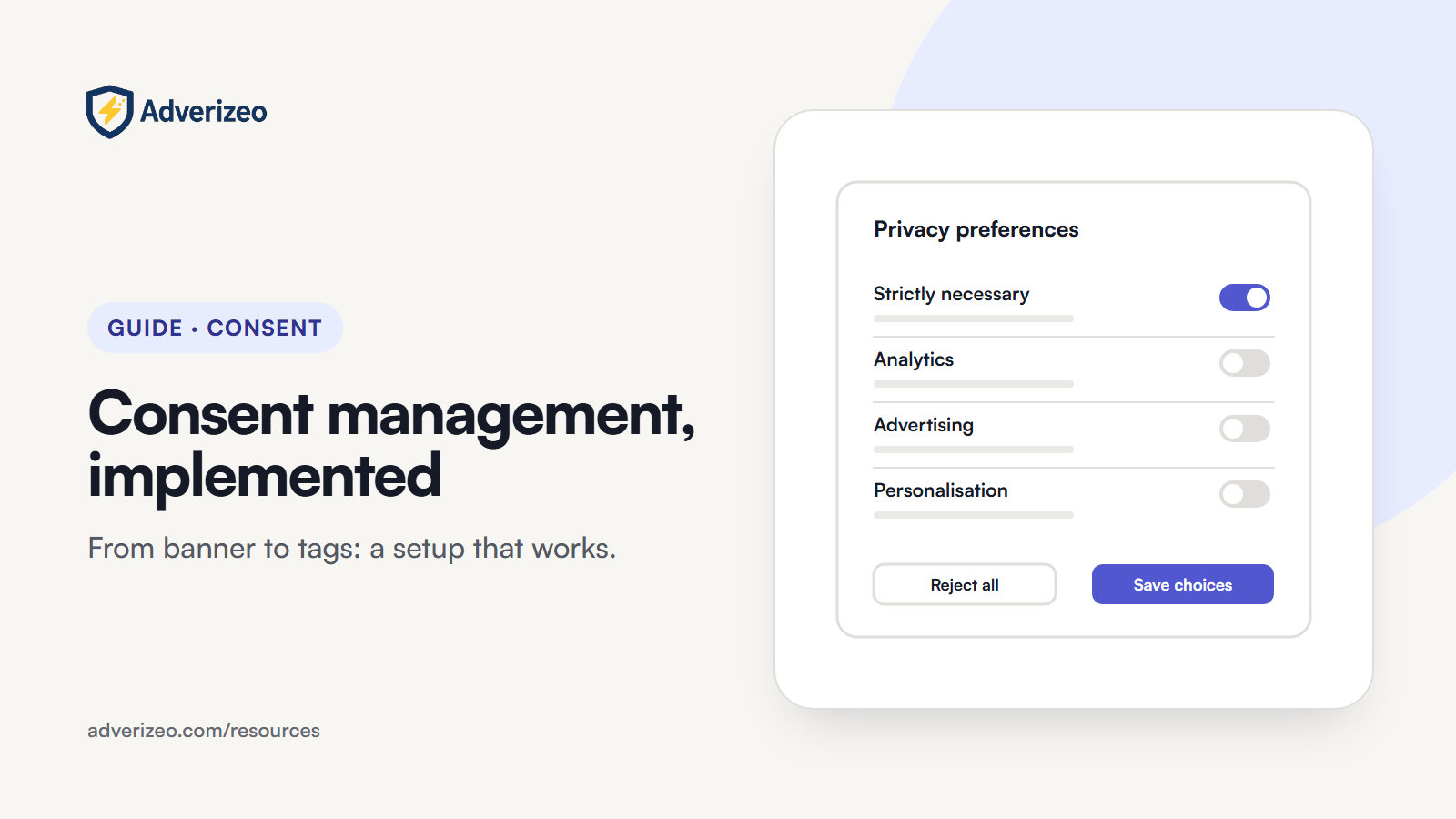
- Granular: separate opt-in for separate purposes (analytics vs. advertising vs. functional), not one bundled "accept all."
- As easy to refuse as to accept: a one-click "Accept All" next to a "Manage Preferences" link buried three clicks deep is a pattern the EDPB's cookie banner taskforce and several national regulators, including France's CNIL, have flagged as non-compliant.
- Easy to withdraw: a visible, persistent way to change consent choices after the initial decision, not just at first visit (Article 7(3)).
3. Categorize cookies honestly
Cookies generally fall into four categories: strictly necessary (no consent needed: session management, security, load balancing), functional (usually needs consent unless genuinely essential to a feature the user requested), analytics, and advertising or marketing. Labeling an advertising pixel as "functional" to reduce opt-out friction is a common shortcut that doesn't hold up under scrutiny: the category has to reflect the cookie's actual purpose.
4. Consent Management Platforms (CMPs) and the IAB TCF
A CMP is the software layer that displays the banner, records consent choices, and communicates those choices to every script and vendor on the page. Whether you need one that participates in the IAB Europe Transparency & Consent Framework (TCF) depends on your role. Publishers that show Google ads through AdSense, Ad Manager or AdMob to users in the EEA, the UK or Switzerland must use a Google-certified CMP integrated with the TCF. Advertisers placing Google Ads or Meta tags on their own site don't need TCF, but they do need a banner that blocks the tags until consent and passes the choice on (for Google, through Consent Mode).
5. Google Consent Mode: the piece teams often miss
Even with a compliant banner, if your Google Ads and Analytics tags aren't wired to respond to the consent signal via Google Consent Mode, those tags can keep firing in a way that ignores the user's actual choice. Since March 2024, Google has required consent signals from advertisers using personalization or remarketing with EEA traffic, sent through Consent Mode v2 or a consent platform integrated with the IAB TCF. Our Google Ads GDPR settings article covers the implementation levels.
6. Record-keeping: you need to prove consent, not just have collected it
GDPR's accountability principle (Article 5(2)) and Article 7(1) mean you need to be able to demonstrate what a specific user consented to and when, not just apply the correct behavior going forward. A properly implemented CMP logs consent records (timestamp, a pseudonymous identifier, the version of the notice shown, the categories accepted). Check that your CMP actually retains this, and for how long.
7. Common implementation mistakes
- Scripts hardcoded in the page <head> load before the consent check runs, regardless of what the visible banner says.
- "Reject All" doesn't stop requests that already fired on that page load: some trackers fire once on page load before any interaction is possible.
- Consent choices aren't remembered across subdomains or don't sync between the marketing site and the app or dashboard.
- The cookie policy page lists categories that don't match what the banner actually blocks.
- No re-consent when new tracking tools are added: consent given for last year's tool stack doesn't automatically cover this year's additions.
Implementation checklist
- The banner or CMP genuinely blocks non-essential scripts until active consent, verified by checking network requests before interacting with the banner.
- Granular opt-in by category, with Reject as visually prominent as Accept.
- If you're a publisher showing Google ads, a Google-certified CMP integrated with the TCF.
- Google Consent Mode v2 (or equivalent) implemented and tested for both consent states.
- Consent records retained with timestamp and choice detail.
- Cookie policy page kept in sync with what's actually deployed, reviewed whenever a new tool is added.
This guide is general information, not legal advice. Cookie consent requirements are implemented slightly differently across EU member states, so check guidance from the data protection authority in your specific market for anything borderline.
To see how consent applies on a specific platform, read our article on Facebook and Instagram ads.